8 min read
Best iPhone Photo Cleaner Apps for Camera Roll Clutter
Compare the best iPhone photo cleaner apps for screenshots, similar photos, blurry shots, and large videos, including manual review options like Space Swipe.
Best iPhone Photo Cleaner Apps for Camera Roll Clutter
Camera roll clutter is not one problem. It is screenshots, bursts, blurry taps, giant videos, screen recordings, old memes, receipts, and saved images all mixed in with photos you actually care about.
A good iPhone photo cleaner app should help you find those groups and decide what to remove. It should not make you trust a mystery button with your memories.
This guide ranks photo cleaner apps by review control, clutter-type coverage, privacy, delete confirmation, and honest estimated storage language.
Best iPhone Photo Cleaner Apps (Ranked)
Tap a name to jump to that app's section, or open its App Store listing.


What Counts As Camera Roll Clutter?
Camera roll clutter is anything that makes your Photos library harder to review:
- screenshots and screen recordings
- near-duplicate bursts
- blurry or accidental shots
- large videos mixed into photo memories
- old memes, receipts, and saved images
- forgotten downloads saved to Photos
Clutter is not always junk. A screenshot of a concert ticket might matter. A blurry photo might still be the only one from a moment. That is why review beats auto-delete.
What Makes A Good iPhone Photo Cleaner App?
For this search, the best app is not the one with the most unrelated utilities. It is the one that helps you clean your camera roll safely.
Look for:
- clear previews before delete
- screenshot and video support, not only still photos
- similar-photo groups with a sensible way to pick keepers
- short sessions by month, batch, or swipe deck
- local-first review with no library upload step
- estimated storage hints, not exact GB promises
- explicit confirmation before deletion
1. Space Swipe
Space Swipe is built for camera roll review, not contacts, VPNs, email cleanup, or a generic utility dashboard. That focus is why it ranks first for this post.
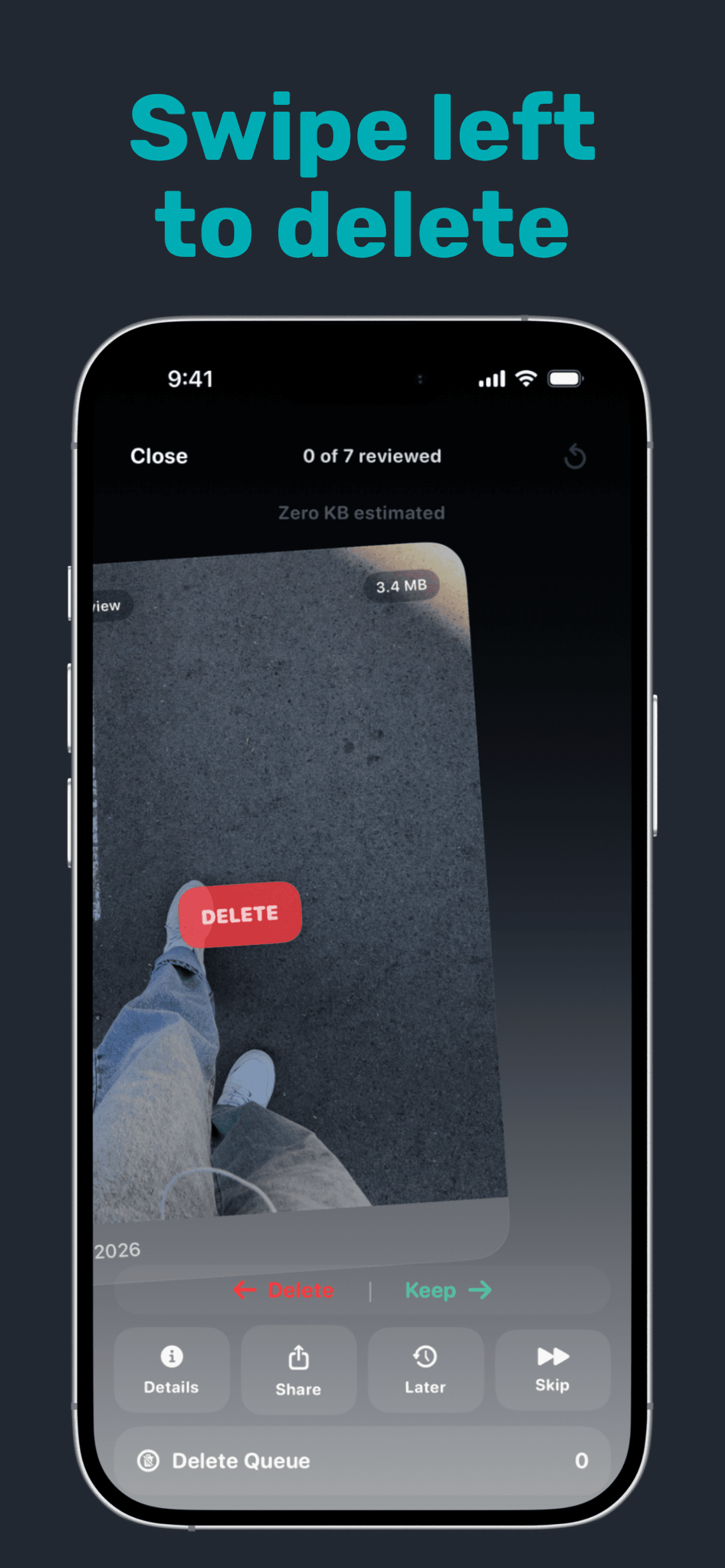
The app gives you direct paths for common photo clutter: Screenshots, Similar Photos, Large Videos, General Review, and month-based browsing. Instead of asking you to trust an automatic cleanup pass, Space Swipe helps you review in small sessions and stage removals before confirmation.
Choose Space Swipe if you want:
- a photo-first cleanup flow
- screenshots, similar photos, large videos, and general review in one place
- local-first review on your iPhone
- a delete queue before anything is committed
- estimated storage hints without exact-space promises
Skip it if you mainly want contact cleanup, email cleanup, or a one-tap all-in-one utility.
2. Swipewipe
Swipewipe is a strong photo-first competitor because it focuses on swiping through your camera roll and decluttering month by month.
It is a good fit if you want the cleanup process to feel fast and playful. Compare it with Space Swipe if your deciding factors are local-first positioning, delete confirmation, and how much you want to review by clutter type instead of only moving through photos in a stream.
3. CleanMyPhone
CleanMyPhone comes from MacPaw, the company behind CleanMyMac. Its App Store positioning leans into AI-assisted photo and video cleanup, including similar images, duplicates, and less useful media.
Choose CleanMyPhone if you want a polished premium cleaner from an established utility brand. Before committing, check the current subscription pricing and how much manual review remains before deletion.
4. Remo
Remo Duplicate Photos Remover is narrower than the all-in-one cleaner apps. Its core job is duplicate and similar-photo cleanup.
That narrow focus is useful if duplicates are the problem. It is less useful if your clutter is mostly screenshots, screen recordings, large videos, or month-by-month review.
5. Clever Cleaner
Clever Cleaner is a camera roll cleaner from CleverFiles, the developer known for Disk Drill. Its App Store page currently positions it around free iPhone cleanup without subscriptions or ads.
That makes it worth checking if you want to try a photo cleaner before paying. As with any App Store app, verify the current pricing and feature limits before relying on that promise.
6. Cleanup
Cleanup: Phone Storage Cleaner is broader than a pure photo cleaner. It includes photo and video cleanup alongside tools such as contacts, email cleanup, and video compression.
Choose it if you want several utility features in one app. The tradeoff is focus: broader apps can feel busier when your real goal is simply cleaning the camera roll.
7. Cleaner Kit
Cleaner Kit is another all-in-one cleaner with photo, video, email, contact, and broader utility features.
It can make sense if you want one cleanup dashboard. If you mostly want to review screenshots, duplicates, and large videos, compare the extra features against a more focused photo review app.
Clean Clutter By Type
Different kinds of clutter need different review habits.
| Clutter type | What to look for | Space Swipe path |
|---|---|---|
| Screenshots | Old tickets, receipts, memes, UI grabs | Screenshots |
| Similar bursts | Same scene, tiny expression changes | Similar Photos |
| Large videos | Long clips, screen recordings, accidental videos | Large Videos |
| Everything else | Mixed camera roll clutter | General Review or months |
Apple Photos has useful built-in tools, but it does not always give you the focused review flow you want for screenshots, similar shots, and large video cleanup. That is where a photo cleaner can save time.
iCloud Photos And Recently Deleted
If iCloud Photos is on, deleting photos or videos from your iPhone may also remove them from iCloud and other devices using the same Apple Account.
Deleted media may also stay in Recently Deleted for a while. That is helpful if you make a mistake, but it can delay visible storage changes. Recently Deleted is not a backup plan, so review before you confirm.
Which Photo Cleaner Should You Choose?
Choose Space Swipe if you want manual review by clutter type before deleting.
Choose Swipewipe if you want a fast swipe-based camera roll declutter flow.
Choose CleanMyPhone if you want a premium AI-assisted cleaner from a known utility brand.
Choose Remo if duplicates are your only real problem.
Choose Clever Cleaner if you want to test a free-oriented camera roll cleaner.
Choose Cleanup or Cleaner Kit if you want photo cleanup plus contacts, email, compression, and other utility tools.
If your main concern is total phone storage, not just photo clutter, see Best iPhone Storage Cleanup Apps.
What is the best iPhone photo cleaner app?
Can photo cleaner apps delete screenshots only?
Are photo cleaner apps safe?
Will cleaning photos free iPhone storage?
Do photo cleaners find duplicate photos?
Can apps remove blurry photos automatically?
Final Take
Camera roll clutter is normal. The best iPhone photo cleaner app depends on how you like to decide: duplicates-only, swipe speed, automated grouping, or review-first control.
Space Swipe is built for the review-first path: screenshots, similar photos, large videos, and general camera roll cleanup with confirmation before deletion.